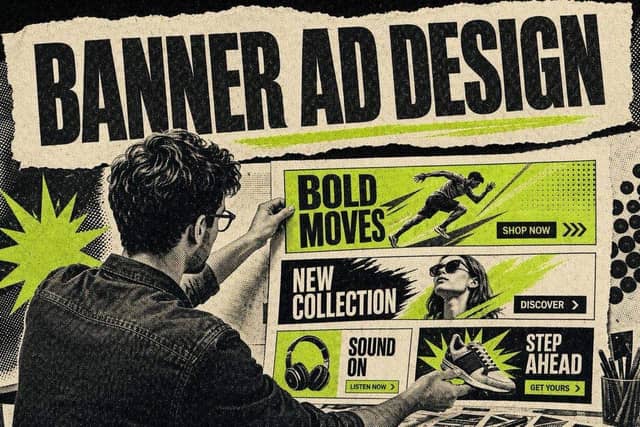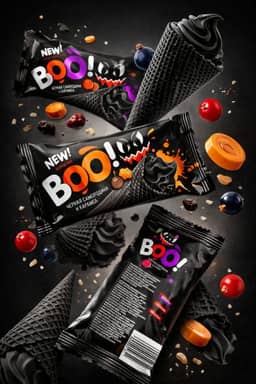
A web banner ad is an image, animated or HTML5 ad that runs in ad slots on websites and apps, most often bought through the Google Display Network. To run one well, choose between responsive and uploaded ads, build the sizes that match the inventory you want, keep files inside Google's limits, decide where the ads may appear, write one message with one call to action, and test variations against conversions rather than clicks.
This guide covers that whole process, with the specs taken from Google's own help pages. If your question is purely visual (layout, typography, contrast, animation and mobile legibility), read the companion piece on banner ad design. This page is about getting a banner campaign built and running. That one is about making each banner readable.
What a web banner ad is today
"Banner" still brings to mind a 728 x 90 strip across the top of a news site, and that unit still exists. But most display buying now runs through ad networks that place your creative across thousands of sites and apps at once. On Google, that's the Display Network, and Google says its responsive display ads appear across websites, apps, YouTube and Gmail, per its help page on responsive display ads.
So "creating a banner ad" now means one of two jobs. You either supply assets that Google assembles into banners automatically, or you design finished banners yourself in fixed sizes and upload them.
Responsive display ads vs uploaded image ads
This is the first decision, and everything downstream depends on it.
- Responsive display ads — Uploaded image ads
- What you supply — Images, logos, headlines, descriptions, optional videos — Finished banners in fixed sizes, or an HTML5 ZIP
- Who designs the final banner — Google, which combines and resizes your assets for each slot — You
- Control over layout — Low — Full
- Production effort — One asset set covers many slot sizes — One file per size
- Best for — Reach, testing messages, small teams — Brand-controlled layouts, precise animation
Google's help page says that with responsive ads its system "determines the optimal combination of assets for each ad slot" and resizes the result to fit, so one ad might show as a banner on one site and as a text ad on another. If you want more control, Google says you can build and upload your own image ads instead (source).
For most advertisers, the practical setup is responsive display ads as the always-on workhorse, plus uploaded banners only where a fixed layout matters, such as a launch with a specific visual.
Responsive display ad asset specs

From Google's responsive display ad specifications:
- Asset — Ratio — Size — Smaller accepted size — Max file size
- Landscape image — 1.91:1 — 1200 x 628 — 600 x 314 — 5 MB
- Square image — 1:1 — 1200 x 1200 — 300 x 300 — 5 MB
- Vertical image — 9:16 — 900 x 1600 — 600 x 1067 — 5 MB
- Square logo — 1:1 — 1200 x 1200 — 300 x 300 — 5 MB
- Landscape logo — 4:1 — 1200 x 300 — 512 x 128 — 5 MB
Up to 15 images and 5 logos per ad. Text limits: short headline 30 characters, long headline 90, description 90, business name 25. Videos are optional, linked from YouTube, and Google recommends keeping them to 30 seconds or less.
Supply every ratio. An ad missing the square image can't serve in square slots, which quietly shrinks your reach.
Standard banner sizes for uploaded image ads
Google's uploaded display ads specifications list the sizes it accepts:
- Group — Sizes (pixels)
- Square and rectangle — 200 x 200, 240 x 400, 250 x 250, 250 x 360, 300 x 250 (inline rectangle), 336 x 280 (large rectangle), 580 x 400
- Skyscraper — 120 x 600, 160 x 600 (wide skyscraper), 300 x 600 (half page), 300 x 1050 (portrait)
- Leaderboard — 468 x 60 (banner), 728 x 90 (leaderboard), 930 x 180, 970 x 90 (large leaderboard), 970 x 250 (billboard), 980 x 120
- Mobile — 300 x 50, 320 x 50 (mobile banner), 320 x 100 (large mobile banner)
You do not need all twenty. A sensible starter set that covers desktop sidebars, in-content slots and mobile is 300 x 250, 728 x 90, 300 x 600, 160 x 600 and 320 x 50. Add 336 x 280, 970 x 250 and 320 x 100 once the message is proven.
Fixed sizes have been losing ground for years. The IAB introduced its New Ad Portfolio in 2017 around flexible sizes, on the basis that flexible units deliver better across screen sizes. Google's responsive format rests on the same logic, which is another reason to treat uploaded fixed sizes as the exception.
File specs and animation limits
From the same Google specification page:
- Image ads: GIF, JPG or PNG, 150 KB maximum.
- Animated GIFs: animation must be 30 seconds or shorter; loops are allowed but must stop after 30 seconds; animated GIFs must run slower than 5 frames per second.
- HTML5 ads: 600 KB or smaller, with no more than 40 files in the ZIP.
The 150 KB cap catches people. A 300 x 600 with a photograph and a gradient can blow past it easily. Export JPGs for photographic banners and PNGs only for flat graphics, and check the file size before you upload so the rejection doesn't tell you first.
Placement: where your banners appear
By default, Display campaigns find placements for you based on your targeting. You can also choose specific places. Google defines placements as "locations where your ads can appear on YouTube or the Google Display Network", which can be a specific website, page, app or ad unit, per its placement targeting help page. Popular placements cost more because you compete with other advertisers for them, and you can set separate bids per placement.
Three practical rules:
- Start broad, then prune. Let a campaign run, then check where it served and exclude placements that spend without converting.
- Use exclusions early for brand safety. Decide up front which content categories you never want next to your brand.
- Do not chase "above the fold" by hand. Responsive ads and broad placement handle slot selection better than manual guessing at page position.
On mobile web, the Coalition for Better Ads lists flashing animated ads among the ad experiences that fall below its standard, defined as ads that "animate and 'flash' with rapidly changing background, text or colors." If your banner flickers, it is the wrong kind of attention.
Copy and CTA: one message per banner
A banner gets seen for a moment, often in peripheral vision, while someone reads something else. That leaves room for one idea.
- The headline is the benefit or the offer, in as few words as it takes. "Free returns on every order" beats a slogan.
- The supporting line is optional. Use it for the proof or the condition ("4.8 stars from 2,000 reviews" only if it is true and current, "Ends Sunday" only if it does end Sunday).
- The CTA is a short verb phrase that says what happens next. "Shop the sale", "Start free trial", "Get the guide". Make it look clickable.
For responsive ads, write five distinct headlines rather than five rewordings of one. Google can only test the ideas you give it. For a fast first draft, the AI ad copy generator produces headline and description variants you can trim to the 30 and 90 character limits. The same discipline applies to search, which our guide to writing Google Ads copy covers.
Match the landing page to the banner. If the banner says "30% off running shoes", the click should land on discounted running shoes, not the homepage.
Testing banner ads
Display tests go wrong in two predictable ways: too many variables at once, and judging on click-through rate.
- Test one variable at a time. Offer vs no offer, product shot vs lifestyle shot, headline A vs headline B.
- Judge on conversions or cost per conversion. Display clicks can include accidental taps, especially on small mobile units. A banner with a lower click-through rate and a lower cost per sale is the winner.
- Give each variant enough spend to mean something. Decide the spend threshold before you start.
- For responsive ads, read asset-level reporting and replace the weakest headlines and images rather than rebuilding the whole ad.
Our guide to A/B testing ad creatives without wasting budget covers how to size and read tests.
Banner ads on social platforms

Meta and Instagram don't use IAB banner sizes. Their image ads run in feed and story placements with their own ratios, which our Facebook ad sizes cheat sheet lists. The principles above (one message, one CTA, test against cost per result) carry over, but the sizes don't. If you're deciding between still images and video for those placements, our guide to static ads explains when a single image wins.
FAQ
What are the most common web banner ad sizes?
Google accepts twenty standard sizes for uploaded image ads. A practical starter set is 300 x 250 (inline rectangle), 728 x 90 (leaderboard), 300 x 600 (half page), 160 x 600 (wide skyscraper) and 320 x 50 (mobile banner). Together they cover sidebars, in-content slots and mobile screens. Responsive display ads skip the size question entirely.
What is the maximum file size for a Google display banner?
Uploaded image ads in GIF, JPG or PNG can be up to 150 KB. HTML5 ads can be up to 600 KB, with no more than 40 files in the ZIP. Images uploaded as assets for responsive display ads can be up to 5 MB, because Google assembles and resizes them itself.
Should I use responsive display ads or upload my own banners?
Default to responsive display ads. One asset set covers many slot sizes, and Google tests the combinations for you. Upload your own banners when a fixed layout matters, such as precise brand presentation or a specific animation. Many advertisers run both in the same campaign.
Can banner ads be animated?
Yes. On Google, animated GIFs must stop animating within 30 seconds, may loop only within that window, and must run slower than 5 frames per second. Avoid flashing effects: the Coalition for Better Ads lists flashing animated ads among the mobile experiences that fall below its standard.
How do I measure whether a banner ad is working?
Track conversions in Google Ads, not just clicks. Click-through rate on display is low and includes accidental taps, so judge banners on cost per conversion. For responsive display ads, use asset reporting to see which headlines and images are pulling their weight, then replace the weakest ones.
Get the creative right before you spend
A banner gets approved on specs. It gets clicked on creative. Before you upload anything, browse the D2C Canva ad templates for layouts you can adapt to 300 x 250 and 728 x 90, and use the AI image ad prompts to generate product and lifestyle images in the 1.91:1 and 1:1 ratios responsive ads need.
The AI Ad-Making Kit
$99Make hyperreal AI video and image ads for any brand, with free AI tools. No camera, no agency.
- 10 modules
- 300+ hooks
- 500+ prompts
Canva ad templates, free.
Proven D2C ad layouts. Swap in your product, export, launch.
Browse templates →Want to act on what you just read?
Browse 3,400+ free, Canva-ready ad templates sorted by industry. One click to open, five minutes to customise.
Browse Free Templates