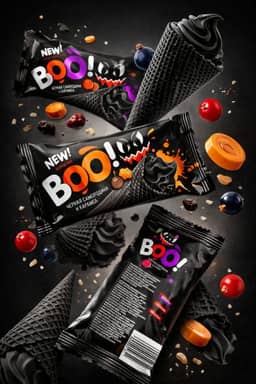
Tracking competitors' display and YouTube ads shows what a competitor is willing to pay to say at scale: which message they lead with, when they push hardest, which offers they run, and which countries they are moving into. Tracked month over month, those changes give an early read on strategy that a competitor's website and press releases usually reveal later. The free way to do it is the Google Ads Transparency Center, as long as you understand what it does and does not cover.
This page is about display and video ads specifically, and about tracking over time rather than looking once. For the one-off question of how to find their ads across Meta, Google and LinkedIn, see how to see competitor ads.
What display and YouTube ads tell you that search ads do not
Search ads answer a query someone already typed, so they mostly tell you which keywords a competitor bids on. Display and YouTube ads interrupt people who weren't looking, so the advertiser has to pick a message, a visual and often an offer that works on a cold audience. That choice is the strategic signal.
Over time, a monitoring log can show you:
- A messaging shift. A competitor that spent a year on "cheapest option" and switches to "built for professionals" is repositioning, often before their homepage changes.
- Seasonality. When their image and video volume rises, and how early before a holiday or buying season it starts.
- Offers. Which discounts, trials and bundles appear, how deep they go, and whether they become permanent.
- New markets. Ads appearing in a region where they previously showed none.
- New products. Creative for something not yet prominent on their site.
- Format bets. A move from static banners to video, or from long YouTube spots to short vertical ones.
- Brand vs direct-response mix. More logo-and-mood ads usually means a brand push, and more offer-led ads usually means a sales push.
No single one of these proves anything. The value comes from repetition: a change you see three months running is a decision, not an experiment.
How to monitor competitor display and YouTube ads with the Transparency Center
Google launched the Ads Transparency Center in March 2023. Anyone can use it to see the ads a verified advertiser has run, the regions they appeared in, the last date each ad ran, and the format.
Set up once
- List five to eight competitors with their website domains. In the Transparency Center, searching by domain is usually cleaner than by name, because many brands advertise under a legal company name. A domain search can also surface several advertiser accounts pointing ads at the same site.
- Pick your regions. Results only include ads shown in the region you select, so set one per market you care about.
- Decide on filters. The format filter offers image, text and video. The platform filter covers Google Maps, Play, Shopping, Search and YouTube. For display-style creative, use the image format filter across all platforms. For video, filter to YouTube.
Check monthly
On the first working day of each month, for each competitor and region:
- Filter to the last 30 days and the image format. Note how many ads appear and screenshot anything new.
- Repeat with the video format and the YouTube platform filter.
- Open new ads and record the last-shown date.
- Switch the region to markets where the competitor does not usually advertise. An ad appearing there for the first time is one of the clearest free market-entry signals.
Information can take 48 to 72 hours to appear after an ad is shown, according to the Transparency Center's FAQ, so a monthly cadence loses nothing.
Log it
- Month — Competitor — Region — Image ads (count) — Video ads (count) — New message or angle — Offer seen — New region? — Notes
Counts are rough, because the center rounds large numbers and not every ad renders. Treat them as direction (up, down, flat), not precise data.
Reading the signals

- What you see — What it might mean — How to check
- Image and video volume jumps in one month — A campaign launch or seasonal push — Did the same thing happen this month last year?
- A new headline appears across many creatives — A repositioning — Has their homepage headline changed too?
- An offer persists for three months — The offer has become permanent — Is it on their pricing page now?
- First ads in a new region — Market entry — Do they now have a local site, currency or shipping page?
- Video replaces static — A creative bet on video — Are they also posting more on YouTube organically?
- Volume drops to near zero — Budget cut, a pause, or a shift to other channels — Check the Meta Ad Library and LinkedIn Ad Library for the same period
For a deeper look at any single ad you flag, use the 8-point teardown checklist.
The limits you need to know
The Transparency Center is the best free tool for this, but it is not a complete record of display advertising.
- Display coverage is partial. The center's own FAQ lists ads from verified advertisers "served across Search, Play, Maps, Shopping and YouTube". Google's ads transparency policy page also mentions Display and Gmail, but the platform filter has no Display option. Treat what you see as a sample of a competitor's display activity, not the whole of it.
- Only verified advertisers appear, except in Europe and Türkiye, where unverified advertisers' ads are included too.
- History runs one year. Ads stay for one year from the date they were last displayed, so start your log now. You cannot reconstruct last year later.
- Spend is not shown, so there are no budgets or bids. Impression ranges by platform are published for some ads, only from September 4, 2023 onward and after a 90-day delay, per the FAQ.
- Landing pages are not available. Ads do not click through to their destination, and the center is moving to static screenshots. Check the competitor's site separately.
- Agency names are missing. It shows the advertiser and, where different, the payer, but not who made the ad.
Because of these gaps, pair it with the other libraries. Meta's Ad Library covers Facebook and Instagram, and the LinkedIn Ad Library covers LinkedIn, including impressions and top targeting parameters for ads targeted to the EU. Our guide to searching the Meta Ads Library covers its filters in detail. A competitor that goes quiet on Google may simply have moved budget there.
Turning the log into decisions
Monitoring is only worth the hour a month if it changes what you do:
- If a competitor's seasonal push starts six weeks before yours, move your creative deadlines earlier.
- If everyone has converged on one offer, compete on a different angle rather than a deeper discount.
- If a competitor enters your strongest region, refresh your creative there before their ads wear in.
- If a competitor abandons a message after three months, that message probably did not work for them. Think twice before adopting it.
When a pattern is worth acting on, the research-to-brief workflow shows how to turn it into a creative brief, and the HookAds swipe file gives you broken-down examples to build from. If the work lands in banner production, our guide to web banner ads covers sizes and specs.
Related guides in this series
- How to see competitor ads: the step-by-step for Meta, Google and LinkedIn's free ad libraries.
- Competitor ad research into briefs: logging ads, reading long-running ones as a signal, and writing your own brief.
- How to analyze a competitor ad: an 8-point teardown checklist with worked examples.
FAQ

Why should I track competitors' display ads?
Display and YouTube ads show the message, offer and visuals a competitor is paying to put in front of cold audiences. Tracked monthly, changes in those ads reveal repositioning, seasonal timing, new offers and market entry, often before the competitor's website or announcements make them obvious.
Can I track competitor display ads for free?
Yes. The Google Ads Transparency Center is free and needs no account for most searches. Search by the competitor's domain, set the region, and filter by image or video format. Its display coverage is partial, so pair it with the free Meta and LinkedIn ad libraries.
How often should I check competitors' display ads?
Monthly is enough for most brands. Data can take 48 to 72 hours to appear, and the signals that matter (messaging shifts, seasonality, new regions) develop over weeks. Check weekly only during your own peak season or a known competitor launch.
Can I see how much a competitor spends on display ads?
No. The Transparency Center shows no spend or bids. For some ads it publishes impression ranges by platform, but only for data since September 4, 2023 and after a 90-day delay. That gives a rough sense of reach, not budget.
Does the Transparency Center show every display ad?
No. Its FAQ lists verified advertisers' ads on Search, Play, Maps, Shopping and YouTube, and history is kept for one year after an ad last ran. Outside Europe and Türkiye, unverified advertisers are excluded. Treat it as a reliable sample, not a complete record.
Start your log this month
Put five competitor domains into the Ads Transparency Center, record this month's image and video ads in the log above, and save the creatives worth studying alongside the breakdowns in the HookAds teardowns. Next month, the comparison does the analysis for you.
The AI Ad-Making Kit
$99Make hyperreal AI video and image ads for any brand, with free AI tools. No camera, no agency.
- 10 modules
- 300+ hooks
- 500+ prompts
Canva ad templates, free.
Proven D2C ad layouts. Swap in your product, export, launch.
Browse templates →Want to act on what you just read?
Browse 3,400+ free, Canva-ready ad templates sorted by industry. One click to open, five minutes to customise.
Browse Free Templates